
How to Submit an ACO Form
Sign in, pick a retailer and send your details in a few minutes. Anything sensitive is encrypted on your device before it leaves.
Every retailer you want ACO to cover gets its own form. It takes about five minutes per account, and you can send several in a row without leaving the page.
Before you start
- An active ACO V3 membership on Whop
- A retailer account for each store you want covered
- The card you want ACO to use, and the shipping address for orders
- An email app password for the email on that retailer account
Step 1: Sign in
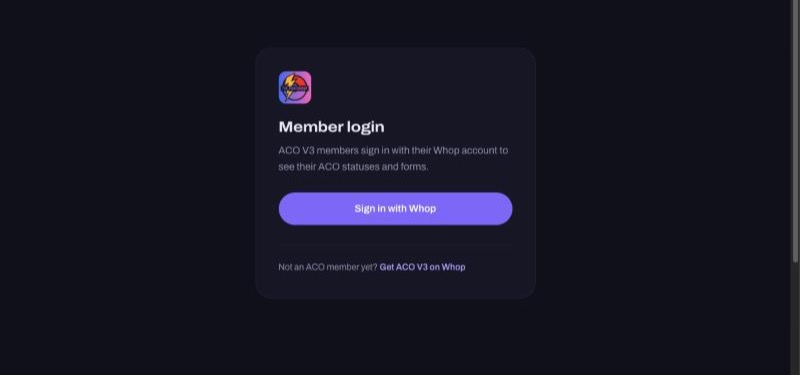
Go to thepokegroup.com, tap Log in at the top of the page, then Sign in with Whop. Use the Whop account that has your ACO V3 membership.
Step 2: Pick a retailer
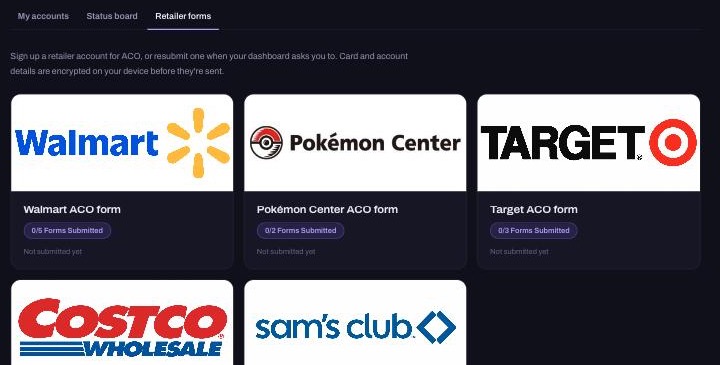
On your dashboard, open the Retailer forms tab and tap the store you want. The purple counter on each card shows how many accounts you've sent for that store, out of its limit.
Step 3: Read the agreement
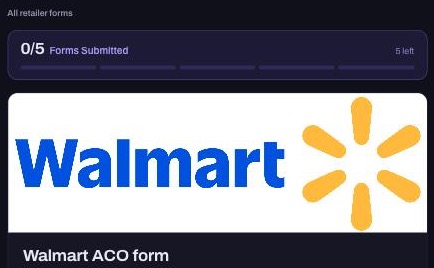
Every form starts with a short agreement explaining how your details are used and protected. Read it before you continue.
Step 4: Fill in your details
Questions marked Encrypted are locked on your phone or computer before they're sent. The website and its database only ever store the locked version.
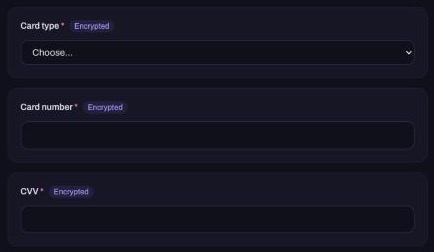
- Enter your name and billing address exactly as they appear on your card statement.
- Type the card number with no spaces.
- Use the password for that retailer account, not your email password.
- For the email app password, see How to Set Up Your Retailer Accounts.
Step 5: Agree and submit
Tick I agree to the terms above and tap Submit.
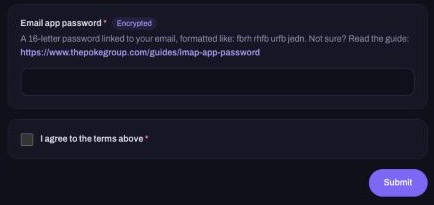
You'll see Submitted right away and the counter goes up by one. Adding another account for the same store? The form stays open, so just fill it in again.
What happens next
Your submission appears on your dashboard as Submitted, waiting for review until we set it up. After that it becomes an ACO account with its own number and status. See How to View Your Submitted ACO Forms.
Common questions
- The form says it's paused. We're not taking new accounts for that store right now. Watch the Discord for when it reopens.
- I've reached the limit. Each store has a maximum number of accounts per member. Ask staff in the Discord if you need to swap one out.
- I made a mistake. Message staff in the Discord before sending it again, so the wrong one can be removed.
- Can I see what I sent? No. Encrypted details can't be shown again, not even to you. That's what keeps them safe.